


Barcode scanners
Which scanner suits your barcodes? Contact us for advice or a quote
Filter by
Price incl. VAT
Price incl. VAT
3 products
Sort by Available first
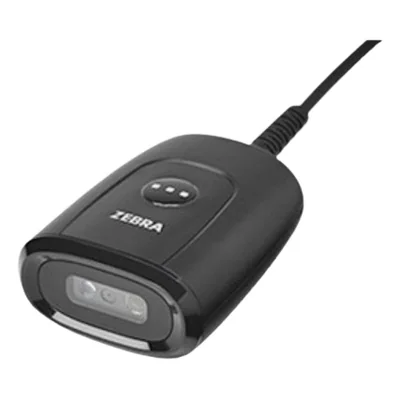
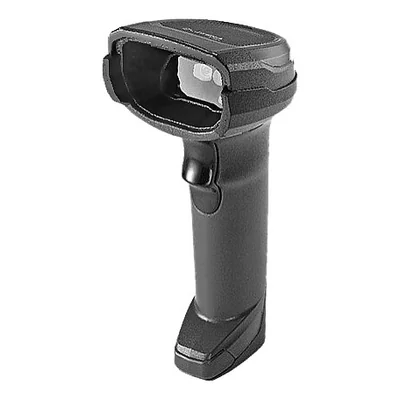
Wired 1D/2D barcode scanner, USB, with stand, black
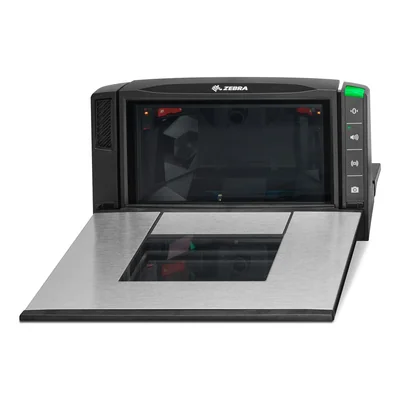
Built-in 1D/2D bioptic barcode scanner, medium size, scale ready, sapphire glass


Handheld and fixed barcode scanners for the checkout
A barcode scanner, also called a barcode reader or till scanner, reads a product label and sends its code to the point of sale or stock management software, with no manual typing. Handheld models are held in the hand or rest on a stand, while fixed counter scanners read whatever item is presented in front of their window.
At the till, a scanner speeds up checkout and removes typing errors on product codes. In a stockroom or warehouse, a wireless model follows the operator along the aisles for stocktaking and goods-in. Libraries and equipment loan services also use them to record items going out and coming back.
Everything depends first on the codes to read. The linear barcodes found on product labels scan anywhere, whereas two-dimensional codes such as QR codes and DataMatrix need an imager scanner, including on a smartphone screen. Next comes the connection, corded over USB or wireless with a base, followed by how well the housing stands up to drops and dust.
Before buying, check that your till software recognises the scanner. Most work in keyboard emulation mode, meaning they type the code just as a keyboard would, with no driver to install. A hands-free stand is worth planning for a counter where staff handle bulky items. A linear scanner soon falls short once vouchers, tickets or loyalty cards carry QR codes.
An independent shop often equips a single till with a corded scanner on a stand. For a chain with several tills, the same model everywhere means settings, cables and spare bases can be shared. At the loan desk of a public or school library, a simple scanner that existing computers recognise without any configuration does the job.
Frequently asked questions
What is the difference between a linear scanner and an imager scanner?
A linear scanner only reads classic barcodes made of vertical bars, the kind found on product labels. An imager scanner captures an image of the code and also decodes two-dimensional codes such as QR codes and DataMatrix, including on a screen or a damaged label.
Do I need to install a driver to connect a barcode scanner to a till?
Usually not. Most scanners work in keyboard emulation mode, so the computer treats them as a keyboard and the code appears wherever the cursor sits. Some till software does expect a specific connection mode, which is worth checking depending on the model.
Is a wireless barcode scanner suitable for a shop till?
Yes, it saves carrying heavy or bulky items to the counter. The scanner talks to a base connected to the computer, which often doubles as its charger. Where every item passes over the counter anyway, a corded model stays simpler, with no battery to keep an eye on.
Can a scanner read a QR code shown on a smartphone screen?
Only an imager scanner reads a code displayed on a screen, such as an e-ticket, a loyalty card or a digital voucher. A linear laser scanner cannot. This is worth confirming in the model description before buying.
Handheld scanner or fixed counter scanner, which should I choose?
A handheld scanner is enough for many shops, as it sits on a stand and lifts off for bulky items. A fixed counter scanner reads items presented in front of its window and leaves both hands free, which speeds up checkout when customer flow is steady.
Which scanner works best for stocktaking in a stockroom?
A wireless scanner avoids being tied to the computer and follows the operator along the aisles. A rugged housing copes better with drops and warehouse dust. Depending on the model, onboard memory stores scans made out of range of the base and sends them once back in range.