Equipment that fits your budget and your volunteers
IT hardware for non-profits
Staff or volunteers, one site or several. We look for the right balance between your real needs, your budget and hardware that lasts.


What matters to a non-profit, what we do
A need sized to fit
No unneeded licences or oversized configurations. We tell you when a consumer product will do.
Prices to compare incl. VAT
If your non-profit is not subject to VAT, it cannot reclaim it. So compare our prices including VAT.
A quote for your funder
If your funder asks for a quote, we prepare it, detailed and free.
Invoices for your accounts
In the non-profit's name, available in your account for your records.
Several sites, one tool
File sharing, shared email and remote access, while staying affordable.
Not alone with a problem
After delivery, we stay on hand for your teams, even when volunteers change.
New or refurbished, depending on use
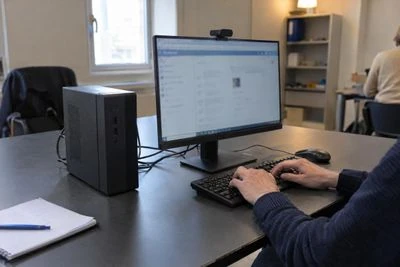
For your everyday workstations
Office work, drop-in sessions, reception. Refurbished is often a good option when available, tested on all its functions and restored if needed.
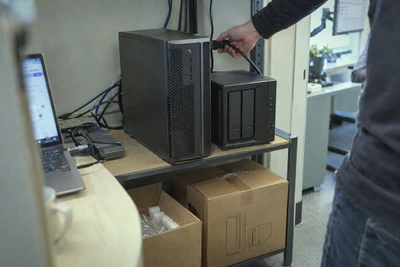
For what has to last
For an important server or equipment to be covered by an extended warranty, we stick with new.
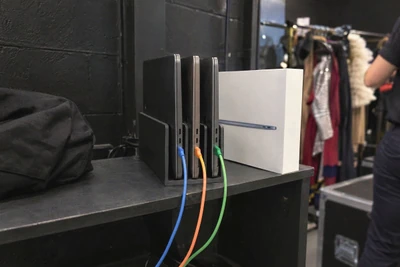
For your renewals
We let you know when a product reaches the end of its support, and we offer a compatible equivalent.


A budget well spent
Repair before you replace
An SSD or extra memory often brings a workstation back to life. We look first at what you can keep.
Buy what gets used
A good office workstation is enough for most volunteers. We keep the budget for what really matters.
Protect what can't be replaced
Member files, accounts, archives. An automatic backup costs less than losing your data.
Four situations, what we do
The person who ran your IT is leaving
We pick things up with the person arriving, review the access rights and simplify what can be simplified.
A grant funds your equipment
We price what is enough, and you get a quote and an invoice in the non-profit's name.
You're opening a drop-in centre
A workstation ready to use, a printer and Wi-Fi that covers the premises.
Your data is on a single computer
We set up an automatic backup and check that restoring works.
Simple tools, easy to hand over
In a non-profit, IT often rests on one or two people, and they change. Tools have to work from day one, with no manual.
What passes on best is accounts named after the role rather than a volunteer, such as treasurer or secretary, files kept in a shared space rather than on a personal laptop, and a sheet listing the equipment, the logins and the subscriptions.
We set up what is easy to pass on, and we stay reachable for the person who takes over.

How we go about it
Your uses
We start from what your staff and volunteers do, how many workstations you need and the budget you have.
The proposal
The hardware that's enough, new or refurbished, in a detailed quote you can attach to a grant application.
Setup
Workstations updated, accounts created and software installed, remotely, in our workshop or on site, so everything is ready to use.
Follow-up
We stay on hand for repairs and renewals, and we take back your old hardware.


Frequently asked questions
Do you offer special prices for non-profits?
Our prices are clear and the same for everyone. The real saving comes from a well-sized need and from refurbished hardware where it fits.
How can I get my software at a reduced price?
For your software licences, the Solidatech programme offers reduced prices to eligible non-profits. Registration is free and your eligibility is checked at that point.
How do I pay?
By card or bank transfer when you order. A quote, for its part, is paid by bank transfer before it expires.
Do you take back old equipment?
Yes, when you buy new equipment, we take back your old equipment of the same type free of charge, up to the quantity purchased, provided you let us know by delivery at the latest. Remember to back up your data before handing it over, as we then erase its disks and give you a data erasure certificate.
A project for your non-profit?
Tell us what your teams do and what your budget is, and we'll suggest what's enough.