Your workstations ready to plug in, your IT estate looked after
IT hardware and services for SMBs and businesses
Small, medium and mid-sized businesses. We supply, install and maintain the IT that keeps your business running.


What matters to your business, what we do
A workstation ready on day one
System image, domain, antivirus and settings are prepared before delivery. Your colleague plugs in and gets to work.
A smooth rollout
Several sites or a staggered renewal, we deliver in stages to fit your schedule.
An inventory with no re-keying
Serial numbers reach you in advance, to import into GLPI or your inventory tool.
Fewer shortages
If a product runs short, we find an equivalent without holding up your order. We also track end-of-sale dates to offer an equivalent in time.
On-site presence
In Charente-Maritime and within about 100 km of La Rochelle, on our own or alongside your IT team.
A contact who knows your equipment
You don't have to explain everything with each order, and your documents stay in your account.
From the first workstation to a full IT estate
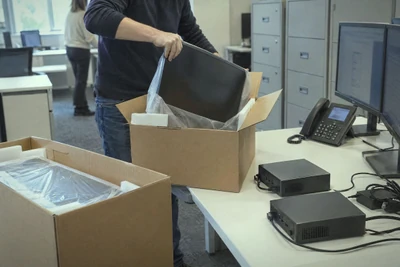
1 to a few workstations
More than 250 laptops and 170 desktop monitors in the catalogue. Add setup to your cart, at a fixed price per device.
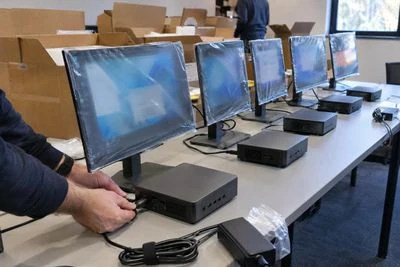
Equipment renewal
We build the proposal from what you already have, with a detailed quote, then we prepare and roll out in waves.
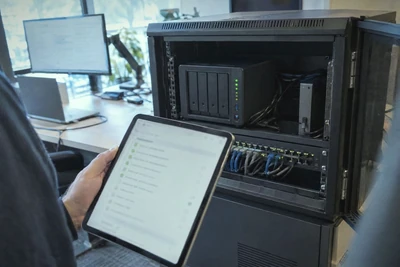
Long-term follow-up
Maintenance, backup and managed IT, with a monthly report and response times set in the contract.


Still running workstations on Windows 10?
Since 14 October 2025, Windows 10 no longer receives security fixes without an extended updates programme. One exposed workstation is a risk for the whole business.
For a business, these extended updates are paid per workstation, for 3 years at most, until October 2028, and their price doubles each year. They buy time to renew, they don't replace the move to Windows 11.
Windows 11 requires a TPM 2.0 chip, Secure Boot and a fairly recent processor, usually an 8th-generation Intel Core or an AMD Ryzen 2000 series and later. The PC Health Check app checks it in a few seconds on each workstation.
Tell us how many workstations are affected. We check which ones can move to Windows 11, often with extra memory or an SSD, and plan the renewal of the others, in waves if needed.


Six questions to ask about your IT estate
How old are your workstations?
An ageing estate slows your teams down and eventually falls out of updates. Note the model and purchase year of each one.
Can you restore your data?
A backup only counts if it restores. Try it on a real folder, before you need it.
Who has access to what?
An account forgotten after someone leaves stays an open door. Review your access rights once a year.
Can your Wi-Fi handle the load?
Dropouts in video calls, slowdowns at busy times, sizing is often the cause.
What if a workstation fails tomorrow?
A spare workstation ready to plug in keeps everyone working during the repair.
Are your warranties still running?
On a key workstation, the manufacturer's extension prolongs cover beyond the original warranty.
Missing an answer? Write to us, advice is free.

Four situations, what we do
Someone starts on Monday
Their workstation arrives up to date and configured, with their email and everyday software.
You're opening a second site
Workstations, network and Wi-Fi are priced together, then we install them and measure coverage.
Your server is reaching end of life
We prepare the migration from what you already have, and plan it to limit downtime.
A fault blocks a workstation
Diagnosis remotely, in our workshop or on site, with a clear quote before any work.
How a project runs
The need
We review your workstations, software, sites and schedule, in writing, remotely or around a table, and the advice is free.
The proposal
Hardware, services and schedule come together in a single detailed quote, with a cheaper model when it is enough, so you decide in one go.
Preparation
In our workshop, each workstation is updated, configured with your accounts and software, then tagged to match your inventory.
Rollout
We install and connect your workstations on site, or they arrive ready to plug in, with your data already transferred.
Follow-up
We remain your contact for a fault, a workstation to add or renewing your equipment, and we take back your old hardware.


Frequently asked questions
Do you offer professional refurbished hardware?
Yes, when it makes sense. A refurbished product has been tested on all its functions and its data has been wiped. It has the warranty of the company that refurbished it. See our selection.
Do you work alongside our IT team?
Yes. We work on our own or with your team, on site in our area and remotely elsewhere.
How do I accept a quote?
Online, by signature, by email or by purchase order. The quote is free, valid for 3 days for equipment and 7 days for a service, and reaches you by email, as a PDF and online.
Do you offer a maintenance contract?
Yes. Maintenance and managed IT are priced on quote to suit your IT estate, with a monthly report and response times set in the contract.
Do you repair hardware bought elsewhere?
Yes. Diagnosis is free remotely or in our workshop, and a clear quote comes before any work. A site visit is charged.
Do you take back old equipment?
Yes, when you buy new equipment, we take back your old equipment of the same type free of charge, up to the quantity purchased, provided you let us know by delivery at the latest. Remember to back up your data before handing it over, as we then erase its disks and give you a data erasure certificate.
Equipment to fit out or renew?
Tell us how many workstations and sites, and we'll suggest the hardware, the rollout and the follow-up.