Laptop, desktop or workstation, and which specification
Choosing a business computer
A work computer is chosen for several years. Here is what really matters, form factor, processor, memory, storage and security, so you buy what you need.
Updated on 4 November 2026


Not sure which model to choose? Contact us for advice or a quote
The essentials
The format
A laptop if you move around, a desktop for a fixed workstation, an all-in-one for a reception desk, a workstation for CAD and 3D.
The specification
A recent mid-range processor, 16 GB of memory and a 512 GB NVMe SSD are enough for office work.
The system
Windows 11 Pro, to encrypt the disk and join a domain.
Laptop, desktop or all-in-one
The format is chosen from the way the person works. The laptop is the obvious choice for anyone who travels, works from home part of the week or goes from meeting to meeting. At the office, a docking station and a monitor turn it into a full workstation. For battery life, compare the battery capacity in Wh rather than the advertised hours, measured in far kinder conditions than real work.
For a computer that stays put, the desktop costs less for the same power, is easier to repair and upgrade, and a compact model slips under the desk or behind the monitor. The all-in-one houses the computer in the screen, with a single power cable, which makes it the machine for a reception desk, a counter or a shared room. The screen and the computer are then replaced together.
The workstation serves CAD, 3D, video editing and computation. It brings a professional graphics card, often ECC memory, and configurations certified by business software vendors. Laptops and desktops can also be filtered by environmental label, EPEAT, TCO Certified or ENERGY STAR, as declared by the manufacturer.
Processor, memory and storage
For office work, email, the browser and video calls, a recent mid-range processor is plenty, an Intel Core 5 or Core Ultra 5, an AMD Ryzen 5. High-end chips (Core Ultra 7, Ryzen 7 and above) make sense for large spreadsheets, development, virtual machines or photo editing. Compare generations rather than clock speeds, a recent mid-range chip often beats a high-end one from 5 years ago while using less power. Intel vPro and AMD PRO versions add remote management and security, useful when an IT department runs the fleet.
Memory is where people wrongly cut corners. 16 GB keep a computer smooth with Microsoft 365, video calls and many open tabs, whereas 8 GB quickly run out of breath. Development, photo editing, CAD and virtual machines call for 32 GB or more. On many thin laptops the memory is soldered and cannot be added after purchase, so take from the start what you will need in 3 years.
Storage should always be an NVMe SSD. 512 GB leave headroom when files live on a server or in the cloud, 1 TB suits anyone who keeps large files on their computer. Our guide Upgrading memory and SSDs explains what can still be changed after purchase.
Windows 11 Pro
For business use, choose Windows 11 Pro. Unlike the Home edition, it encrypts the disk with BitLocker, so a lost or stolen laptop does not give away its data, and joins an Active Directory domain or the Microsoft Entra ID directory.
Windows 10 has no longer been supported by Microsoft since 14 October 2025. It still works, but no longer receives security fixes, except on computers enrolled in the Extended Security Updates (ESU) programme. For a business, this programme is bought per computer and per year, for 3 years at most, so until October 2028, and its price doubles each year. The consumer programme, extended until 12 October 2027, applies neither to business use nor to a computer joined to a domain. It gives time to spread out replacing the computers. The details are on Microsoft's Windows 10 end of support page.
Security, warranty and accessories
Day to day, a fingerprint reader or an infrared camera for Windows Hello replaces the password. In an open-plan office as on the move, a webcam shutter, a slot for a cable lock and a privacy filter keep your screen away from the person next to you on the train. Also check the length and type of each model's warranty, return to workshop or on-site service, and extend it if needed with our extended warranty.
A docking station connects the laptop to the monitor, keyboard, mouse, network and power through a single cable. A Thunderbolt dock needs a Thunderbolt port, a USB-C dock a USB-C port that carries video (DisplayPort Alt Mode). Its charging power must at least match the laptop's original charger, and it must handle the number and resolution of the monitors to connect. Our guide to choosing a business monitor helps you pick those.
For anyone who splits time between office and home, the simplest set-up is one laptop and two identical desks, a dock and a monitor in each place. One cable to plug in and the desk is ready. Add a noise-cancelling headset, a webcam if the built-in camera is not enough, a keyboard and mouse set and a bag for the commute. On the security side, encrypt the disk, turn on two-factor authentication for email and use a VPN to reach the office files.
Rolling out several computers
Take the same model, or at least the same range, for the whole batch. Chargers and docks move from one computer to another, there is only one set of drivers and updates to follow, and a faulty computer can be swapped for its twin while it is repaired. Prefer manufacturers' business ranges, supported longer with drivers and BIOS updates than consumer ranges.
Beyond a few computers, prepare them all the same way. Our installation and configuration service delivers machines ready to plug in, joined to the domain and labelled, prepared in our workshop before shipping. Data migration moves files and profiles from the old computer, and endpoint security adds protection and encryption.
Frequently asked questions
Laptop or desktop, which lasts longer?
The desktop, as a rule. It runs cooler, its parts are easier to replace and it has neither a battery that wears out nor knocks to absorb. A well-treated laptop remains the right choice for anyone on the move.
Can my Windows 10 computer move to Windows 11?
Yes if it has a TPM 2.0 chip, Secure Boot, 4 GB of memory, 64 GB of storage and a processor on Microsoft's list. The upgrade is then free, and the PC Health Check app checks it in a few seconds. Otherwise, it is time to replace it.
Do I need a workstation for CAD?
For 2D or light models, a good laptop or a desktop with a dedicated graphics card may be enough. For large assemblies, rendering, or when your software vendor requires a certified configuration, a workstation is the way to go. Check your software's certified hardware list.
Our other guides
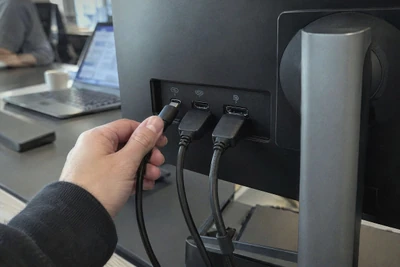
Choosing a business monitor
Size and resolution, panel type, USB-C and laptop charging, ergonomic adjustments, energy label. What to look for in a comfortable, long-lasting office monitor. Read the guide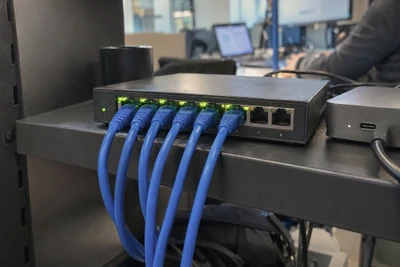
Small business network and Wi-Fi
Router, switches, Wi-Fi access points, PoE and cabling. How to build a reliable business network, from a small office to premises over several floors. Read the guide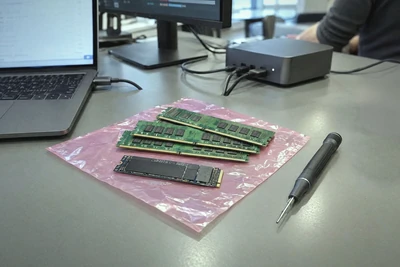
Upgrading memory and SSDs
DDR4 or DDR5, SO-DIMM or DIMM, SATA or NVMe, M.2 2280. How to choose the memory and SSD that give a computer a new lease of life, without mistakes. Read the guide
Buying IT equipment for the public sector
Mandatory environmental criterion, share of reused and recycled equipment, EPEAT and TCO labels. What a French public buyer needs to know about IT equipment. Read the guide


Need some advice?
Tell us what you need and what you want to spend, and we'll point you to the most sensible setup, without oversizing.